Can AI Actually Count Calories From a Photo?
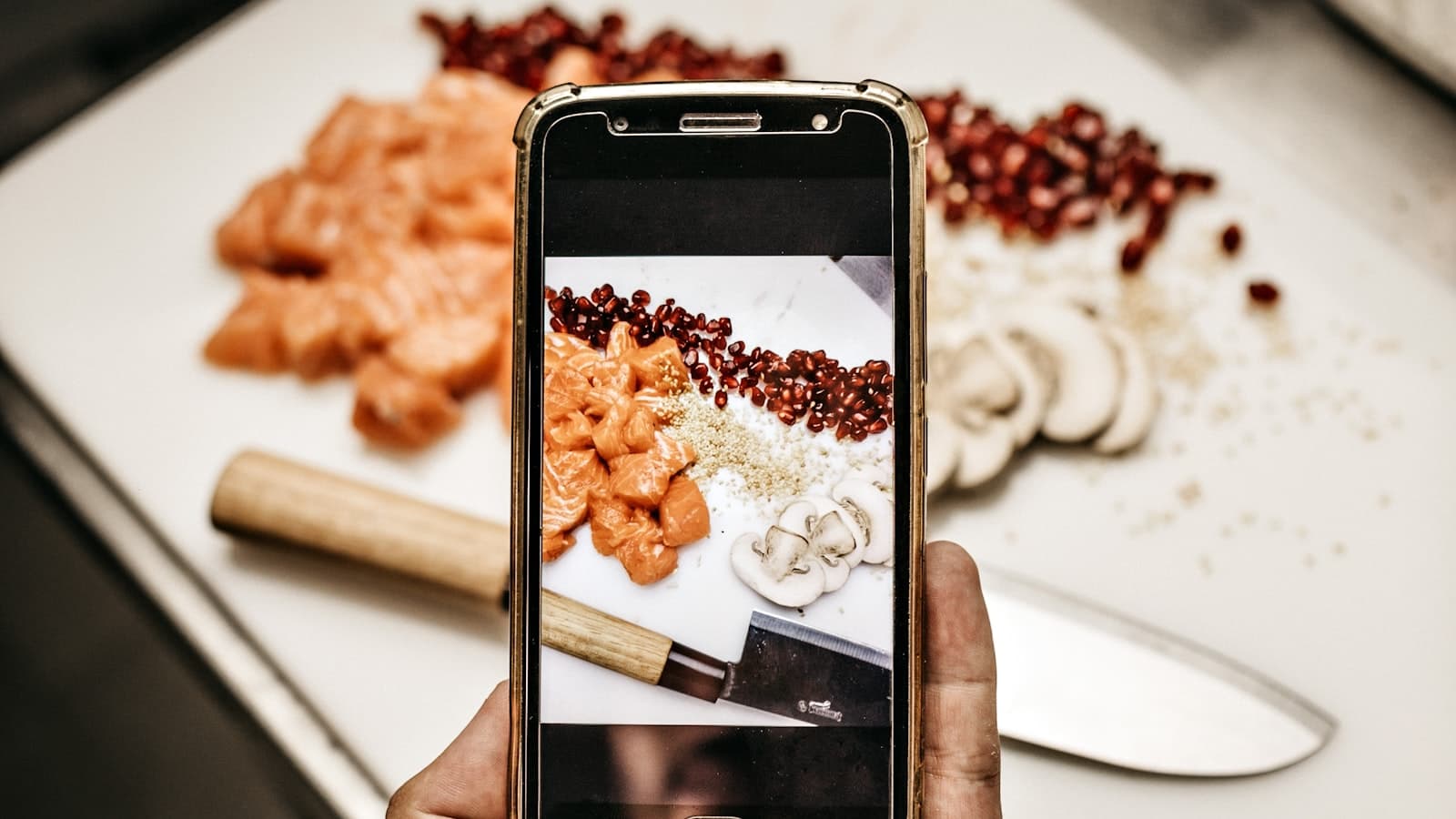
It sounds almost too good to be true: point your phone at a plate of food, and an app tells you how many calories are on it. So can AI actually count calories from a photo, or is it clever marketing dressed up as a number? The honest answer is yes — within a meaningful margin of error — and understanding both the "yes" and the "margin" is the key to using these tools well.
This isn't magic, and it isn't a precise calorimeter in your pocket. It's a very good estimate produced by a few clever steps working together. Let's open the hood, look at where photo-based calorie counting genuinely shines, where it struggles, and how to get the most reliable numbers out of it.
How AI calorie counting from a photo works
When you photograph a meal, an AI calorie counter runs through roughly three stages:
- Food recognition. A vision model identifies what's on the plate — "grilled chicken breast," "white rice," "steamed broccoli." Modern models are trained on enormous image sets, so they handle common foods well and can often pick apart several items in one shot.
- Portion estimation. This is the hard part. The app estimates how much of each food is present, using visual cues like the size of the item relative to the plate, its depth, and typical serving sizes. A photo is two-dimensional, so this step is genuinely difficult — it's the single biggest source of error in the whole process.
- Nutrition lookup. Once the app knows the food and an estimated quantity, it pulls calorie and macronutrient values from a nutrition database and adds them up into your total.
The clever part is that all three happen in the time it takes you to glance at your screen. The trade-off is that errors compound: a small misread of the food plus a small misread of the portion can move the final number more than you'd expect.
AI calorie counting accuracy: how good is it, really?
Here's the figure that matters. Well-built photo calorie counters generally land within roughly 10–20% of a meal's true calories. That's not perfect — but it's worth comparing to the realistic alternative, which for most people is eyeballing the plate and guessing. Studies of human calorie estimation consistently show people are worse than that, often off by 20–40%, and biased toward underestimating. In other words, AI from a photo isn't just convenient; for the average person it's frequently more accurate than doing it in their head.
Where it's strongest:
- Clearly plated, recognizable foods. A chicken breast, a scoop of rice, a piece of fruit — distinct items the model can identify and size up.
- Standard portions. Foods that look like the "typical" serving the model was trained on.
Where it struggles:
- Mixed and saucy dishes. A curry, a stir-fry, a casserole — the camera can't see how much oil, butter, or sauce is blended in, and those are calorie-dense. This is the classic blind spot.
- Hidden ingredients. A salad that looks light can carry hundreds of calories in dressing; a coffee can hide cream and syrup. If it's not visible, the AI can't estimate it.
- Unusual angles or scale. A photo with no size reference makes portion estimation a guess.
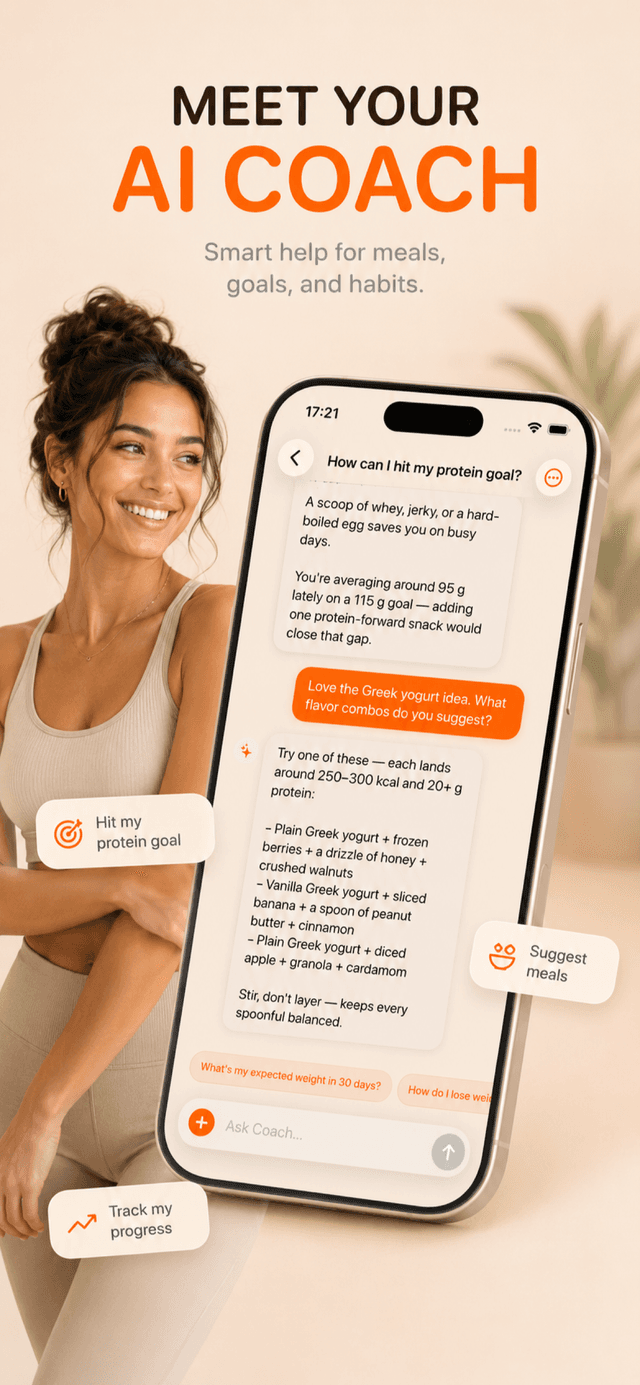
This is exactly why a good app doesn't just hand you a number and walk away. In Voidpen, you can ask the AI Coach why an estimate came out the way it did — which assumptions it made about portion and preparation — so you can confirm or correct it instead of trusting it blindly.
How to get the most accurate results
A few simple habits dramatically tighten the numbers:
- Shoot from a slight angle, not straight down. A roughly 45-degree angle gives the model depth cues, which improves portion estimates over a flat top-down shot.
- Use good, even lighting. Shadows and dim light hurt food recognition. Natural light is best.
- Get the whole plate in frame with something for scale — the plate edge, a fork, your hand. Scale references help the portion step enormously.
- Separate items when you can. If foods are piled together, the model has a harder time telling them apart and sizing each one.
- Edit the portion, not just the food. When the AI logs "1 cup" but you ate closer to a cup and a half, adjust it. This single habit closes most of the gap.
- Account for the invisible. If you cooked in a tablespoon of oil or added a generous dressing, add it. The camera can't see fat that's been absorbed or mixed in.
This is where Voidpen's design earns its keep: estimates typically land within about ±15%, and every one is fully editable. The AI gives you a strong starting point in seconds, and a quick correction turns a good estimate into a great one. You're never stuck with a number you don't agree with.
Does the margin of error actually matter?
It's worth being clear-eyed about what a 15% error does and doesn't do to your results. Say your real intake for a day is 2,000 calories and the app reads 1,850 — a 7.5% miss. Over a week, that's a roughly 1,000-calorie gap, a little under a third of a pound of body weight. Real, but small. And here's the part most people miss: that error isn't consistently in one direction. Some meals the AI over-reads, others it under-reads, and across dozens of entries those misses substantially cancel out. The average over a week or a month is far tighter than any single meal's error suggests.
That matters because weight change is driven by your trend over weeks, not by the precision of any one lunch. An app that's roughly right every day, and that you actually open, gives you a clean trend line to act on. An app that's theoretically perfect but so tedious you skip half your meals gives you a log full of holes — and a log with gaps is far more misleading than one with small, randomly distributed errors. Consistency, not per-meal precision, is what turns tracking into results.
There's also a behavioral payoff that's easy to overlook. Simply photographing your food makes you more aware of what you're eating, and that awareness changes choices before the number even loads. The act of logging is doing work that the exact calorie count isn't.
For a step-by-step on capturing meals well, see our practical guide to how to count calories from a photo.
The bottom line
Can AI count calories from a photo? Yes — accurately enough to be genuinely useful, as long as you understand what "accurately" means. It won't match a food scale and a spreadsheet on a controlled day. But it doesn't need to. The goal of tracking isn't a perfect ledger; it's a number reliable enough to guide your eating and reveal your patterns over time.
A consistent estimate within 15%, captured in seconds, beats a "perfect" log you abandon after two weeks because it was too much work. That trade — a little precision for a lot of consistency — is what makes photo calorie counting one of the most genuinely useful applications of AI for everyday health. If you want to see how the leading tools stack up, read our tested ranking of the best AI calorie counter apps.